

Messenger and Instagram are in early access while Meta reviews Shortext. To connect your Page now, write to hello@ny-corp.io.
Before you start
- A Facebook Page on which you can manage the messages: full control, or Facebook access with messages. Without this right, the Page is shown but cannot be ticked.
- For Instagram: an Instagram professional account (business or creator) linked to that Page, with Allow access to messages turned on in the Instagram app (Settings > Messages > Connected tools).
Connect a Page or an Instagram account
1
Start the connection
Open Communication > Channels > Messenger and Instagram and click Connect with Facebook.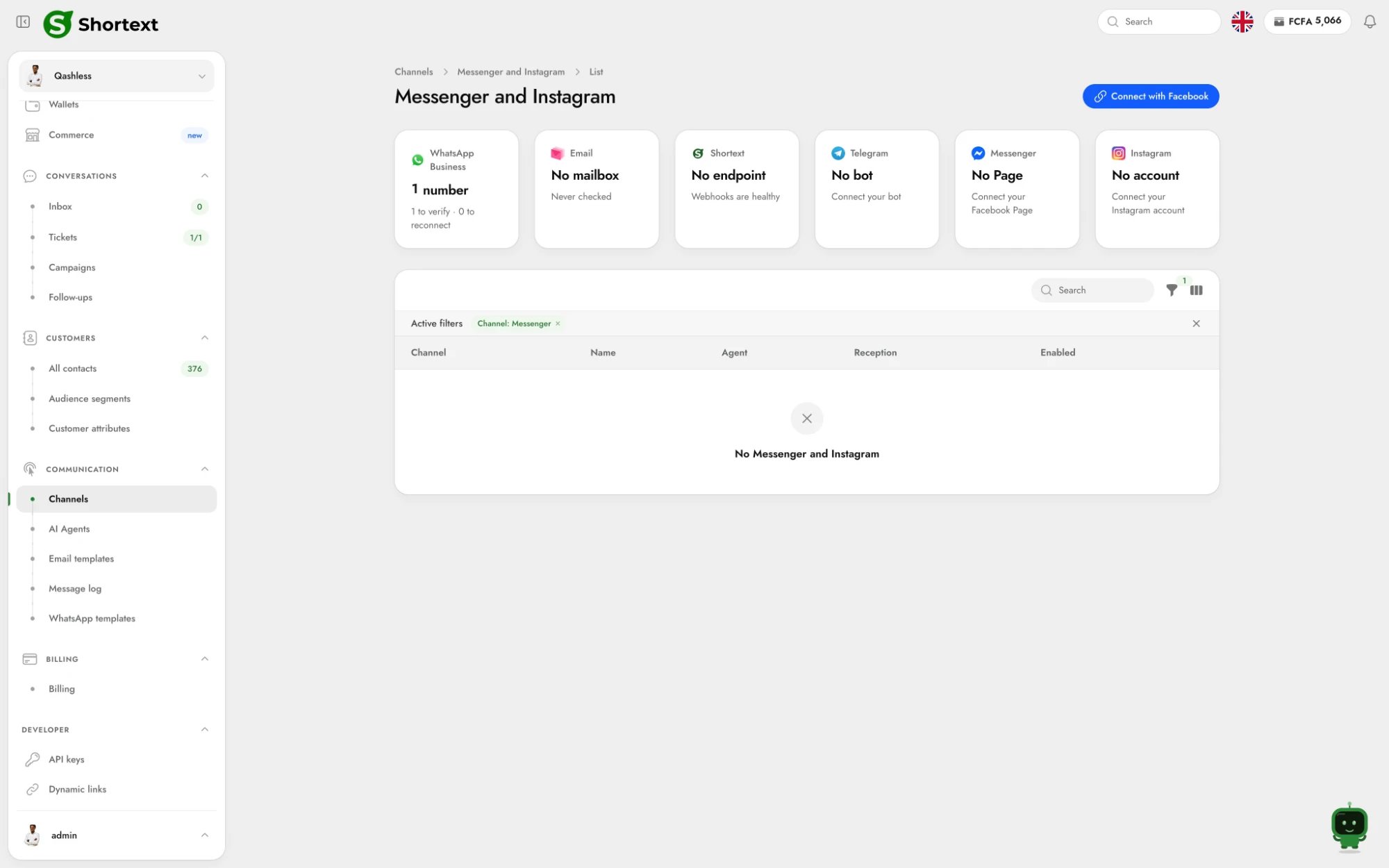
2
Log in to Facebook
In the Facebook window, log in and allow the Pages (and their Instagram accounts) Shortext may use.
3
Choose your channels
Back in Shortext, tick the Messenger Pages and the Instagram accounts to connect, and choose the agent that answers on them.
- the Page was not allowed in the Facebook window: start again and select it;
- you are not allowed to manage the messages of the Page;
- no Instagram professional account is linked to the Page;
- the Page or the account is already connected to another Shortext account;
- the Facebook login expired: start again.
From your product
Your own clients can connect their Page and their Instagram account from your product with a hosted session of purposemeta, with context.agent_id to choose the agent. result lists the connected channels, in the same format as GET /channels.
How customers reach you
Customers write first: they open your Page on Messenger, or send a direct message to your Instagram account. Share the link to write to you, given in the channel (contact_url in the API): https://m.me/<page> for Messenger, https://ig.me/m/<account> for Instagram, on your website, your social networks or a QR code.
To know where a contact comes from, add ?ref= followed by a code, for example https://m.me/acme?ref=website. The code is attached to the first message sent from the link (in the message metadata); a person who opens the conversation without writing sends nothing.
The 24-hour window
Meta only allows a business to answer within a window opened by the customer’s last message:
Outside the window, a message is refused with an explicit reason. This is a rule of Meta: there are no templates on Messenger and Instagram to write first, so:
- an automatic follow-up is only sent within 24 hours of the customer’s last message;
- campaigns cannot be sent on Messenger and Instagram.
Contacts
A contact is identified by the id Meta gives them for your Page or your account (identifier_type messenger_psid or instagram_igsid). The same person has a different id on each Page and each Instagram account. Meta gives no phone number.
Messages
A shared post, a story mention or a link arrives as a text with its link, so the agent knows what it is about. Messages Shortext cannot read arrive as “Message not supported”.
See Message format for the payloads.
Billing
Each message sent on Messenger or Instagram is billed at your company’s service rate, with no provider fee: Meta charges nothing on these channels. See Balance and wallet movements.Disable or delete a channel
- Disable it to stop it: received messages are ignored and nothing is sent. Enable it again to resume.
- If Meta stops delivering the messages of a Page (
receivingisfalse,last_errorsays why), reconnect it or install the reception again from the channel. - Delete it when you no longer need it. It is final: the channel stops receiving on Shortext and its conversations leave the Inbox (they are kept for audits). Your Page and your Instagram account are not affected.
PATCH /channels/messenger/{id} or /channels/instagram/{id} changes name, agent_id and enabled; DELETE deletes the channel. List them with GET /channels?type=messenger or ?type=instagram.